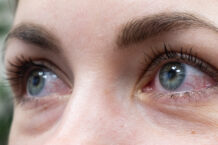

Digital eye strain, also known as computer vision syndrome, is a distinctly modern phenomenon. According to the American Optometric Association, the term “describes a group of eye- and vision-related problems that result from prolonged computer, tablet, e-reader, and cellphone use.”
Given the large amounts of time many Americans spend on their electronic devices, it’s not surprising that digital eye strain has become a widespread problem. For insight into the issue, the Wellness Letter spoke with ophthalmologist Marlon Maus, MD, DrPH, FACS, the associate chair of our editorial board and an adjunct professor at UC Berkeley Public Health.
Wellness Letter: Why do we get more eye strain from reading on electronic screens than reading on paper?
Marlon Maus: It’s important to note that reading on a computer or phone screen is not the same as reading a printed page. The letters may not be as sharply defined, so it can make viewing more difficult. When you read a printed page, the page is reflecting light. But a computer or phone screen is producing the light itself. It’s a different technology, and your eyes react to it differently.
Digital eye strain is related to how your eyes behave when you spend a lot of time staring at a computer screen or tablet or phone. The eyes need to stay wet and moist for them to function properly. If you had your eyes open all the time, they would dry out. Blinking spreads a film of tears over the cornea and the conjunctiva, which are membranes on the surface of the eye. That keeps the eye comfortable.
Blinking is a natural phenomenon, but the amount of blinking can definitely be affected by outside factors, such as screen-watching. If you’re staring at a screen, your blink rate drops. Looking at a screen seems to create an intensity or a focused state in which people blink less. People sometimes say something like, “I was paying so much attention, I forgot to blink.”
WL: Can you explain more about what happens if you don’t blink enough?
MM: If you’re not blinking as much, your eyes start drying out, and you start having problems. If the surface of your eye doesn’t have a film of tears, you may experience discomfort, blurred vision, eye fatigue, or light sensitivity, known as photophobia. In people with existing dry eye disease or autoimmune conditions, symptoms may be more pronounced, with higher levels of pain and photophobia. Other symptoms can include double vision and trouble refocusing from screen to distance-viewing.
The symptoms typically resolve when people take breaks, but persistent symptoms may require evaluation for dry eye or refractive error. Dry eye can be treated with over‑the‑counter or prescription lubricating drops. Refractive errors, on the other hand, are corrected with glasses or contact lenses. If these issues are not addressed, they can become chronic, leading to more severe pain and headaches.
In some chronic cases, abnormalities can develop on the surface of the eye, such as tiny erosions of the corneal epithelium or inflammation of the conjunctiva. These may cause ongoing discomfort, light sensitivity, and fluctuations in vision that do not immediately improve with time away from the screen.
WL: Are there other factors that can contribute to digital eye strain?
MM: Yes, there are factors that relate to the conditions in the room. For example, anything that ends up decreasing the humidity of your eyes or making the film of tears unstable will increase the risk. The room might be very dry. Or a fan blowing toward your face will increase the evaporation of the tears. Incidentally, despite a common misperception, blue light does not lead to digital eye strain, although it can disrupt circadian rhythms and make it harder to fall asleep.
Ergonomic factors can also contribute to the problems—for example, if your laptop or monitor is too far or too near. The screen should be between 20 and 40 inches away, and the top of the screen should be slightly below eye level. In addition to eye strain, a badly positioned computer can lead to poor posture, causing neck and shoulder pain.
There is something called the 20-20-20 rule. The idea is that every 20 minutes you take a 20-second break and look at something 20 feet away. There’s nothing magical about those numbers—it’s just a rule-of-thumb that’s easy to remember. The point is just that you need to take regular breaks from staring at the screen.
WL: What is the impact of aging?
MM: Age definitely has an impact. The lens of the eye changes shape depending on what is being viewed. When you’re focusing on something close, it gets rounder. Tiny muscles connected to the lens contract to make that happen. There are also muscles involved in moving the eye. When you’re reading, your eyes are moving left, right, left, right, left, right, left, right, and on and on and on.
With age, the lens becomes stiffer, and the small muscles that control it get weaker. This condition, called presbyopia, makes it harder to focus on near objects—including the type on the screen. Age-related changes also affect tear production, increasing the risk of dry eye.
So if your eyes are trying to be accommodating for hours at a time, and on top of that you’re watching a screen instead of a book, you can start getting some pain and discomfort that would feel like a headache, a pressure behind your eyes and brow. A lot of this pain can be referred, so you may not even know that it’s your eyes that are hurting.
WL: So how should someone deal with digital eye strain?
MM: One easy step is to increase the font size on your screen. This reduces the effort required to focus and helps prevent squinting or leaning in too close to the screen, both of which can increase eye strain. Beyond that, make sure you’re blinking enough and taking enough breaks. If that doesn’t resolve the issue, then the next thing is to make sure your eyeglass prescription is correct. Or if you don’t already have glasses or contacts, perhaps you’re at the point where you might need a prescription.
If you don’t have a prescription and your vision is uncorrected, or if you have a prescription but your vision is under-corrected, you’re forcing your eyes to concentrate even more. In that case, getting the right prescription is going to help.
WL: Is there anything else that can help?
MM: Yes. You can buy over-the-counter artificial tears. They have no side effects whatsoever, and you can use them many times a day. For regular use, it’s best to use preservative-free artificial tears. If the room is very dry, it can be helpful to get a humidifier, which will increase the moisture and help your eyes stay sufficiently lubricated. And of course it’s important to make sure that there is proper lighting and that your computer monitor is at the right height and distance. In many or most cases, taking these steps will reduce or fully eliminate the problem. If you’re still having trouble, the next step would be to go see an eye doctor.